
Ask your site what changed, and why.
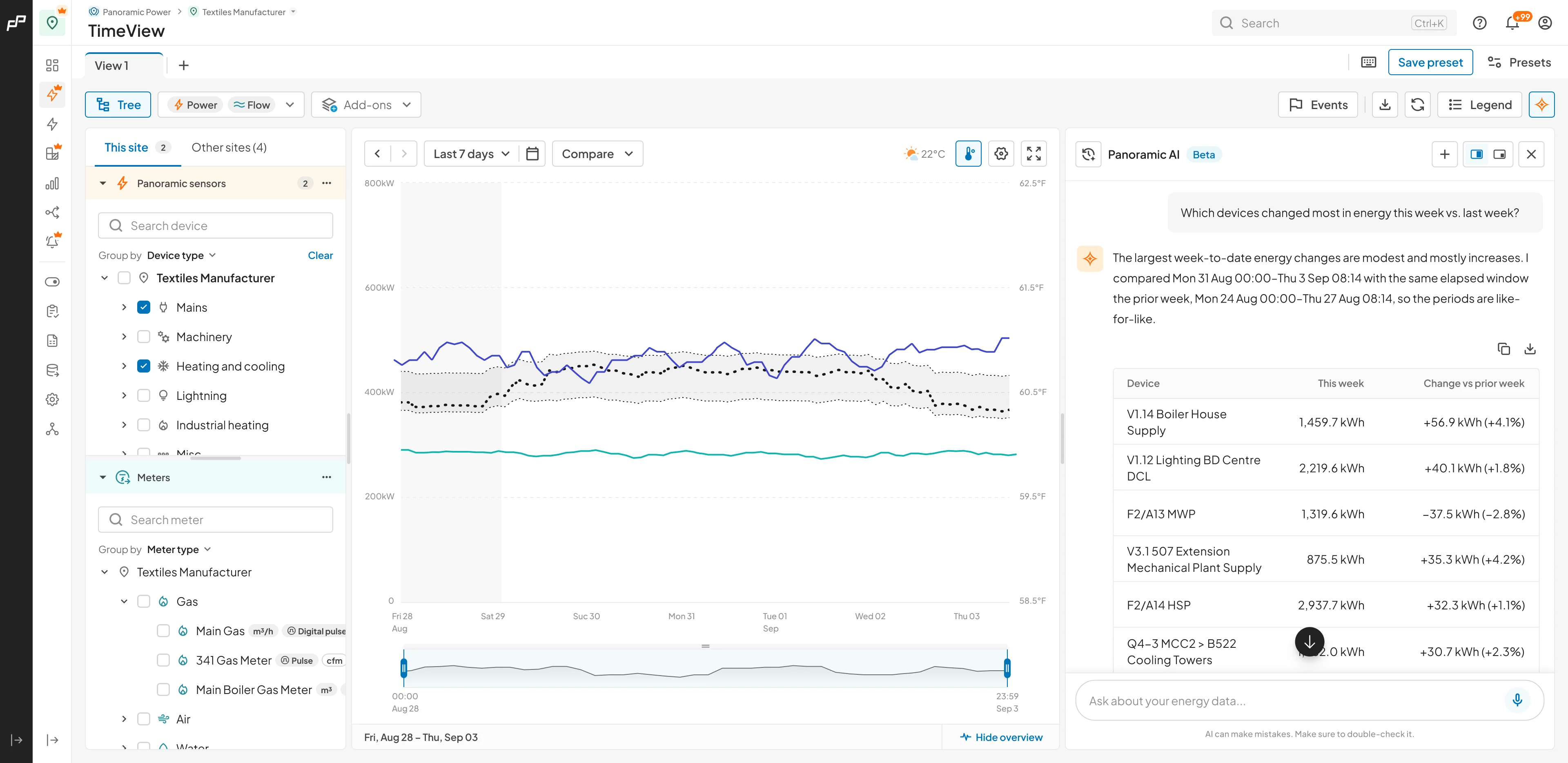
TimeView Assistant turns your site data into plain-English answers, inside the chart your team already works in. Ask what moved, what caused it, and where to look next.
Watch TimeView Assistant in action
Three minutes of a team asking questions, tracing where energy changed, and switching the assistant on for a single site.
“Why is this week’s energy cost higher than last week?”
Cost is running about 9% higher, with the three devices behind it named
“Which devices drove it?”
A ranked list, largest movers first, with the direction each one went
“Top 3 devices by cost this week”
Named devices, real figures, and each one’s share of the site total
“What devices are on this site?”
The full inventory by category, read from your site’s own structure
“How much energy is used outside business hours?”
Measured against the operating hours already configured for the site
“What is the total energy consumption today?”
Today’s total, and how it compares with a normal day
Built for everyday energy investigations
Everything the assistant can do today, grouped by the job it helps your team get done.
Understands your context
- Works from what is already on screen, including the site, the devices you have selected and the time range
- Takes your site’s operating schedule into account, so off-hours and shift patterns show up in the answer
- Reads your usage and operational patterns, so answers compare against how your site actually runs
Finds and measures
- Finds and lists equipment, categories and groups across the site
- Reports power, energy and cost for any device, category or the whole site
- Projects cost for the month, with a confidence range
Investigates and compares
- Ranks and compares, so the largest consumers and the biggest movers surface first
- When you ask, it can point out a device running outside its usual pattern
Works like a conversation
- Holds the thread, so a follow-up question knows what “those” and “that week” refer to
- Returns structured answers you can copy or download
- Keeps conversation history, so last week’s questions are still there when you return
Coming during the beta this year
In progress- More measurements, starting with current, voltage, power factor and reactive power, then carbon
- Meter and logger support, so those answer questions the same way sensors do today
- Longer time ranges and deeper analysis, from profiling a single day in detail to questions that span far more history
- Spike detection that pinpoints when a peak began and what caused it
- Answers to product how-to questions, drawn from the help centre
Every answer has a thumbs up, a thumbs down and a comment box, so your feedback shapes what we build next.
What to expect during the beta
A limited beta with clear boundaries, so you always know what the assistant will and will not do.
Read-only by design
The assistant answers questions. It cannot change a setting, an alert, a device, or anything else in your account.
One site at a time
Answers cover the site you are working in. Comparing two sites is not supported yet.
Power, energy and cost
Those are the measurements available today. More arrive during the beta.
A monthly allowance per site
You will see how much of it you have used as a percentage, and it resets each month. If a site runs out, we will talk about raising it.
Verify before you act
Every answer carries that warning in the product. Check the figures behind any decision that matters.
More is on the way
Panoramic AI is heading across the rest of PowerRadar next, so it can offer to set up the triggers or events that catch these for you.
How beta access works
Three steps from request to running. The last one is always yours.
Panoramic AI is an Optimize feature. If your site is on the Visualize package, ask your partner to upgrade it to Optimize.
Tell us about your site
Your name, work email, and which site you would like the assistant enabled on.
We onboard in batches
Access is limited while we test performance, so seats open in groups and the beta runs to the end of 2026. We enable Panoramic AI for your account and let you know when your seat is ready.
You switch it on
Site → Settings → AI settings. Enable the assistant, accept the short consent, and it appears in TimeView. Nothing starts until you do this.
Join the TimeView Assistant beta
Seats open in groups while we test performance, and the beta runs to the end of 2026. We’ll get in touch when we’re ready to add your site.
Panoramic AI is an Optimize feature. If your site is on the Visualize package, ask your partner to upgrade it to Optimize.